
Instant Online Quotes

SOFTWARE UPDATE
VERSION 5.2 | 04.09.26

ROOFLINK
INTEGRATION
NOW LIVE
![Screenshot 2026-03-12 at 10.04.20 AM]()
LOGIN TO ROOFLINK
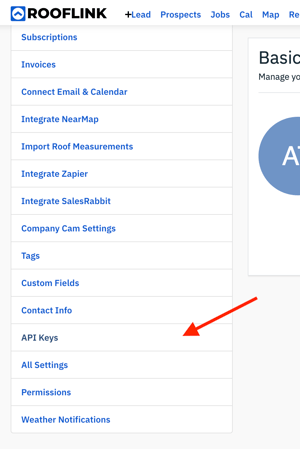
Navigate to the user icon (top right of screen) and select Profile & Settings from the dropdown menu. Under the Company Settings section select API Keys.![Screenshot 2026-03-12 at 10.21.03 AM]()
CREATE API KEY
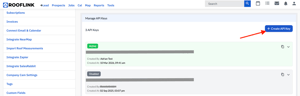
Click on the + Create API Key button in the upper right corner and click create on the popup. Then copy your API Key.![Screenshot 2026-03-12 at 10.32.05 AM]()
LOGIN TO ROOFLE
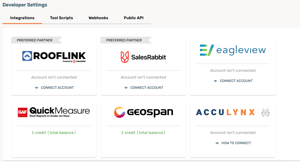
Find the Settings (gear) icon and select Developer from the menu. On the Rooflink integration tile and click 'Connect Account'![Screenshot 2026-03-12 at 10.35.09 AM]()
PASTE YOUR KEY
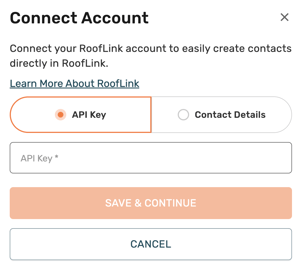
Paste your API Key and save. On the Contact Details tab, specify the Lead Source and Lead Status and save to complete the integration setup!